When people buy a new TV, they usually pay attention to the screen size, display quality, & smart features. But there is one more thing that can affect your viewing experience- the set-top box.
This becomes more important if you have a 4K TV. A 4k set top box can deliver 4K content to your TV, but that does not mean every channel you watch will suddenly become 4K.
The DTH service you use, the channels available on your plan, your TV, & the type of content you watch all matter.
So, before you spend money on a 4K set-top box, let’s understand what it actually does and what you should check.
What Is a 4k Set-Top Box?
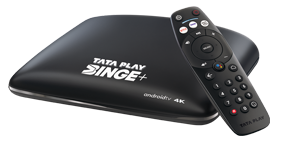
A 4K set-top box is an external hardware device connected to a television that outputs ultra-high-definition video at a resolution of 3,840 × 2,160 pixels.
Do You Really Need a 4k Set-Top Box?
Not everyone needs one.
If you already have a 4K TV & enjoy watching movies, sports, live events, or other high-quality content, getting a 4K set-top box can make sense.
On the other hand, if you have a Full HD TV & mostly watch regular TV channels, there may not be much reason to spend more on a 4K box.
Before buying, think about how you normally use your TV.
Do you watch 4K content? Does your DTH provider offer it? Do you want OTT apps on your set-top box? Or do you simply want to watch your regular channels?
Your answers will tell you whether the upgrade is actually useful.
Things to Check Before Buying a 4k Set-Top Box
1. Make Sure the Box Supports 4k
Start with the basics. Check the specifications of the set-top box & make sure it supports 4K or Ultra HD resolution.
Don’t go by the word “4K” printed on the product box alone. Look at the detailed specifications and see what resolution and video features the device supports.
If you are buying the box through a DTH provider, check the exact model and features before paying for an upgrade.
2. Check Your TV
A 4K set-top box is only one part of the setup.
Your TV also needs to support 4K if you want to watch content in its full resolution. If your TV is Full HD, it cannot display a true 4K picture even if the set-top box supports it.
It’s also worth checking the HDMI ports on your TV. The set-top box will normally connect to the TV using HDMI. So make sure the connection is suitable for the features you want to use.
3. Find Out What 4kContent You Actually Get
This is probably the most important thing to check before spending extra money.
Having a 4K box does not automatically give you a large selection of 4K channels.
DTH providers may offer 4K sports, movies, special events, or other content. What you get can depend on the provider and your subscription.
So, check the available 4K channels & content first. If you hardly watch any of them, you may be better off with a normal HD set-top box.
4. Don’t Ignore HDR
You may also come across the term HDR when looking at 4K TVs and set-top boxes.
HDR, or High Dynamic Range, can make compatible content look better by improving the difference between dark and bright areas and giving colours more depth.
If your TV supports HDR, check whether the set-top box supports the HDR formats that your TV can use.
You don’t need to get into every technical detail. Just make sure the two devices are compatible.
5. Check the HDMI Support
The HDMI connection carries the picture and sound from your set-top box to your TV.
For regular HD viewing, most people don’t need to worry too much about HDMI versions. But if you want to make full use of 4K and other advanced features, it’s worth checking the HDMI specifications of both devices.
This small check can save you from compatibility problems later.
6. Think About Sound Too
A better picture is great, but good sound makes a difference too.
If you use your TV’s built-in speakers, the basic audio features may be enough for you.
But if you have a soundbar or home theatre system, check how the set-top box handles audio and what connections it provides.
There is no point paying extra for advanced sound features if you don’t have the equipment to use them.
7. Check Wi-Fi and Internet Features
Some newer set-top boxes do more than just show DTH channels.
They may connect to the internet through Wi-Fi or an Ethernet cable and offer features such as streaming apps and online content.
If you want these features, check whether the box has built-in Wi-Fi or the type of internet connection you need.
Also, don’t assume that two set-top boxes with similar names offer the same services. Always check the features of the exact model.
8. Check Which OTT Apps Are Available
OTT has become a regular part of TV viewing for many Indian families. You may already use apps to watch movies, web series, sports, and regional content.
Some 4K set-top boxes come with several OTT apps built in. This can be handy because you can switch between DTH channels and streaming services from one device.
But there is something you should remember: an OTT app being available on the box doesn’t necessarily mean the subscription is free.
Check whether your DTH plan includes any OTT subscriptions or whether you have to pay for them separately.
9. Take a Look at the Remote
It may seem like a small thing, but you will use the remote every day.
Check whether the buttons are easy to understand and whether important functions such as volume, channel change, apps, and search are easy to access.
Some set-top boxes also have voice search. This can be useful when you want to search for a movie or show without typing the whole name using tiny buttons.
10. Check the Box’s Performance
If the set-top box has apps and smart features, its performance matters.
A box that takes too long to open an app or respond to the remote can become irritating very quickly.
If the manufacturer provides details about RAM, storage, or the processor, take a look at them. You don’t need the most powerful box on the market. Just make sure it is capable of handling the features you plan to use.
11. Find Out the Full Cost
Don’t look only at the price of the set-top box.
Depending on the DTH provider, there could be extra costs for installation, accessories, channel packs, or subscriptions.
Before you place an order, ask what you will actually have to pay. This gives you a clearer idea of the total cost instead of getting surprised by additional charges later.
12. Check Warranty and Support
Electronic devices can sometimes develop problems, so it’s worth checking the warranty.
Also see how the DTH provider or brand handles customer support. If your set-top box stops working, you want an easy way to get it repaired or replaced.
4K Set-Top Box vs HD Set-Top Box
The basic difference is simple.
An HD set-top box is meant for HD and regular TV viewing, while a 4K set-top box can handle compatible 4K content.
A 4K box will generally cost more, but it makes more sense if you already have a 4K TV and regularly watch 4K content.
If you have a Full HD TV and mostly watch normal channels, an HD set-top box may do everything you need.
Will a 4K Set-Top Box Make All Channels 4K?
No.
This is worth repeating because it is a common misunderstanding.
Suppose you have a 4K TV and a 4K set-top box, but the channel you are watching is broadcast in HD. The box receives that HD signal and sends it to your TV. It cannot turn the original broadcast into genuine 4K.
Your TV may use something called upscaling to make HD content appear sharper. But upscaled HD is not the same as content that was originally produced and broadcast in 4K.
Can You Connect a 4K Box to a Normal TV?
In many cases, yes.
However, if your TV is Full HD, you won’t be able to see 4K resolution because the screen itself doesn’t have enough pixels to display it.
So, if your main reason for buying a 4K set-top box is better picture quality, make sure your TV is also 4K.
Mistakes to Avoid When Buying a 4K Set-Top Box
A few simple mistakes can lead to unnecessary spending.
Don’t buy a 4K box just because it sounds better. First check whether you actually have access to 4K content.
Don’t forget to check your TV’s resolution and HDMI support.
If you plan to use OTT apps, check exactly which apps are available and whether their subscriptions are included.
And finally, look at the total cost instead of just the set-top box price.
Is a 4K Set-Top Box Worth Buying?
For certain people, for sure.
For instance, when you have a 4K TV & love watching 4K movies and sports and require features like OTT applications and internet support, a 4K set-top box is something that would serve you well. However, if you have an HD TV and watch normal television programs most of the time, there is no point spending extra money on the same. The right set-top box will always be the one that suits your television, your DTH network, your finances, & your viewing habits.