Somewhere along the way, USB microscope cameras got lumped in with consumer gadgets and classroom demos. Easy mistake. They are small, they plug in through a standard port, and low-cost versions crowd the same search results as the serious ones. But dismiss them entirely and you miss the fact that calibrated, high-throughput lab environments are actively running on them.
The real question is not whether USB cameras belong in a lab. They do. The question is which ones, and why most buyers get that wrong.
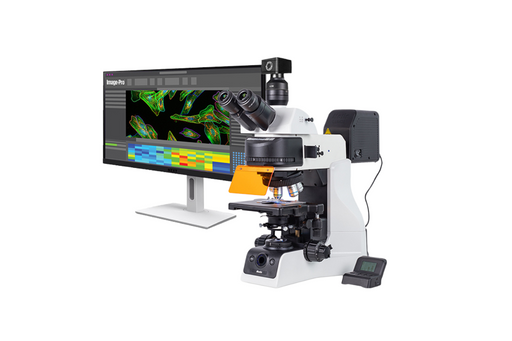
Not All USB Microscope Cameras Are Built for the Same Environment
Consumer-grade USB cameras work fine for occasional close-ups or basic classroom use. Lab environments are a different story. Think sustained imaging sessions, regulatory documentation, and technicians who need live feeds to stay stable for hours without colour drift or dropped frames.
A familiar scenario: a lab purchases a 10MP unit expecting full-resolution live capture. In practice, it throttles during continuous operation, loses frames after 30 minutes, and produces colour-shifted images under standard fluorescent lighting. The spec sheet was accurate. The camera just was not built for lab conditions.
For context, USB 3.0 transfers data roughly five times faster than USB 2.0. For still images, the difference is minor. For sustained live imaging at high resolution, it is the difference between a camera that works and one that stutters.
The Specs That Actually Matter in a Lab Setting
Sensor Resolution and Optical Path Quality
Resolution is the most quoted spec and the least understood. A 9MP camera with poor optics will underperform a sharp 5MP unit in daily use. For QC documentation and basic pathology prep, 5MP is a reasonable floor. Histology and metallurgy work, where surface detail is the whole point, generally calls for 10MP to 18MP.
CMOS sensors now lead the lab market over CCD. Lower noise in bright-field imaging and faster readout speeds are the practical reasons. A materials lab checking coating uniformity at 100x magnification needs reliable sensor output, not just a high number on the packaging.
Software Compatibility and Daily Workflow
A USB camera locked to its own proprietary software causes real friction in shared lab environments. Lab-ready models should support standard TWAIN drivers, ImageJ for research applications, and cross-platform operation across Windows and macOS at minimum. Names like ToupView, AmScope, Dino Capture, and NIS-Elements come up regularly in lab contexts.
One specific pain point: measurement tools and annotation features are sometimes locked behind a paid software tier. Confirm what is actually included before purchasing.
Build Durability and Sustained Capture Performance
Labs run equipment for hours. A camera that overheats at the 45-minute mark is not a lab camera. Metal housing handles heat dissipation better than plastic and holds mount position through extended use. For environments with ambient vibration, a solid C-mount or T-mount connection matters more than most buyers realise.
Worth noting: some manufacturers publish burst shooting specs that bear no relation to how the camera performs during a sustained two-hour live session. Look specifically for continuous capture ratings.
Three USB Microscope Cameras Worth Knowing About
Dino-Lite Edge AM4115ZT
A handheld, self-contained unit where the camera is the microscope; no separate body required. Its built-in polariser cuts glare on reflective surfaces, making it useful for electronics inspection, surface defect analysis, and gemology. AMR technology records magnification data directly into each image, which simplifies lab documentation considerably. USB 2.0, compatible with both Windows and macOS via Dino Capture software. Best suited for mobile QC tasks where a fixed stage is not practical.
AmScope MU900 9MP USB 2.0 Digital Microscope Camera
A C-mount camera built to attach to an existing trinocular microscope. The 9MP CMOS sensor handles stills and video, and the included AmScope software covers measurement and annotation tools without an upgrade. It supports Windows, macOS, and Linux, which matters in university and government labs running mixed systems. If your lab already owns a solid trinocular scope, this is a sensible way to upgrade imaging output without replacing the whole setup.
OMAX 18MP USB 3.0 Digital Microscope Camera
Built for applications where fine detail is the priority: histology, petrology, metallurgy. USB 3.0 handles large file transfers without lag during live sessions. Standard C-mount fitting, 4K-equivalent still capture, and video support for dynamic specimens. Not the right choice for budget-constrained teaching labs, but for applied research and clinical documentation where image quality is the constraint, the higher cost reflects what you actually get in sustained output.
Where These Cameras Are Already Being Used
Electronics manufacturing for solder joint inspection. Life sciences for cell culture monitoring. Industrial QC for polymer and metal surface analysis. Forensic labs for trace evidence documentation. Educational settings use them to project live specimens to a monitor, keeping a full class engaged with a single sample. The plug-and-play nature of USB also means a lab can deploy multiple imaging stations without dedicated hardware at each one.
What to Check Before You Buy
- Frame rate at full resolution during continuous capture, not peak specs
- Mount compatibility with your existing scope body
- Whether included software covers calibration, measurement, and standard image export
- USB 2.0 or 3.0 based on your live imaging requirements
- OS support for every machine in the lab, not just the primary workstation
- Warranty terms, particularly in regulated or clinical settings
Final Thought
USB microscope cameras have moved well past hobbyist territory. But the gap between the right camera and the wrong one for a given lab is still wide enough to cost real time and budget. Sensor quality, software compatibility, and build durability are the three filters worth applying before any purchase.
Not sure which camera suits your current setup? Let us know what you are working with and we will point you in the right direction.